Two tools, two jobs
HandBrake versus this cutter is a job split, not a ranking. HandBrake compresses. LosslessCut copies bitstreams. People type both names when they want a shorter file. One of those jobs is a size pass. The other is a lossless cut. Related: guides, home, versus Shotcut, move off re-encoders.
Official cutter files stay on GitHub Releases. Product homepage for the cutter: losslesscut.app. License: GPL-2.0. HandBrake files stay on that project’s own site: handbrake.org.
HandBrake re-encodes on purpose
HandBrake is a GPL re-encode tool. You pick a preset, a bitrate, a codec, and you wait. That is the right job when a device needs a smaller file, when a camera file is huge, or when you want a new codec on purpose. A lossless cutter will not replace that pipeline. Do not expect LosslessCut to open a HandBrake preset. The README does not document that import, and this guide does not invent a converter.
Keep HandBrake when the work is compress all day. Read HandBrake docs for that product. Avidemux is a closer cousin than HandBrake and still often re-encodes for filters.
A size pass on a two-hour camera file wastes time on minutes you will drop. Cut those minutes with codec copy first. Then send the short file to HandBrake. The encoder then sees only the keep portion. That is the honest order, not a claim that HandBrake is worse. It is a different job. People who already trust a HandBrake preset can keep that preset. They just run it later.
This cutter copies the bitstream
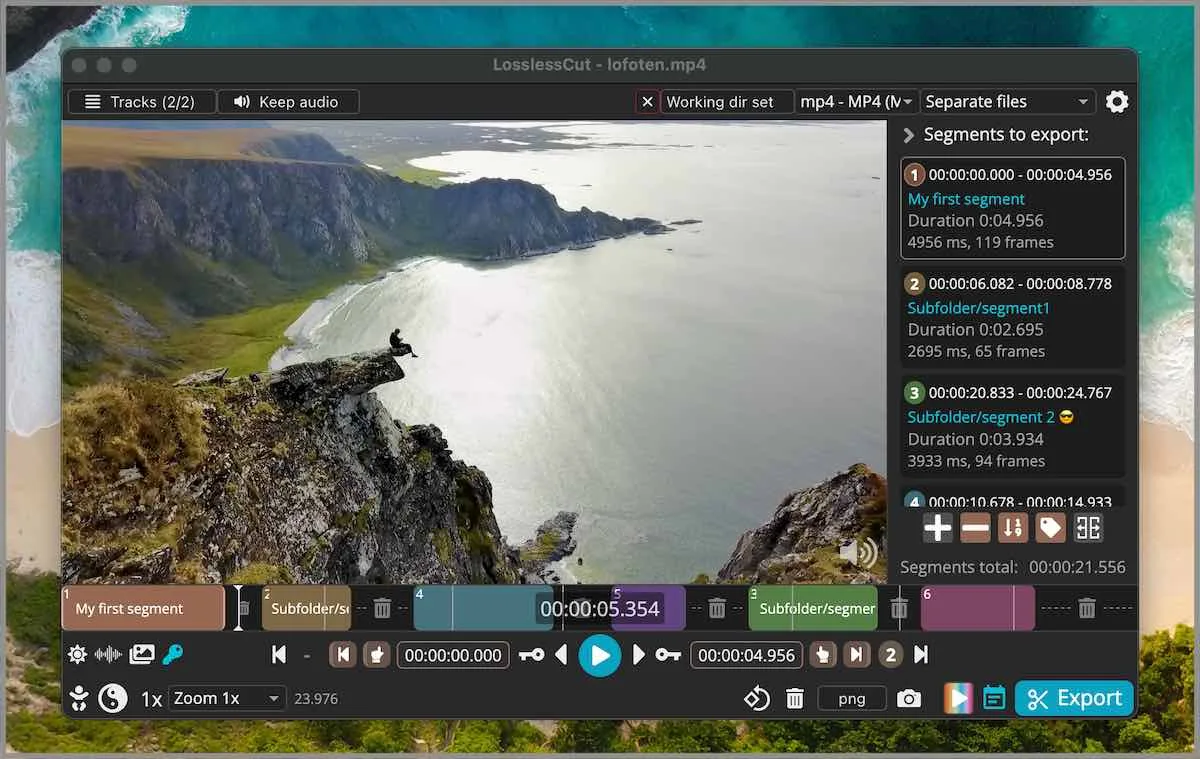
LosslessCut is a cross-platform FFmpeg GUI. Default cut is keyframe-aligned codec copy. Extra frames can remain at the in-point. Smart cut is experimental and tries to re-encode only a small part. Read smart cut and keyframe cuts. Merge: merge segments. Crop honesty: README lists lossless crop; FAQ still groups crop, resize, and stretch with lossy work and points at issue 372. Crop URL: video cropper.
The app is not an NLE. FAQ and issue 976 say segments on a timeline, export those portions. It is not Premiere. FFmpeg CLI already does the same -c copy idea with no GUI. The GUI is in and out points and preview.
Feature split
| Feature | LosslessCut | HandBrake |
|---|---|---|
| Job | Lossless cut, codec copy | Re-encode transcoder |
| Vendor page | mifi/lossless-cut | handbrake.org |
| License | GPL-2.0 | GPL |
| Default export | Bitstream copy | Compress / transcode |
| Smart cut | Experimental, small re-encode | Not this product’s smart cut |
| Timeline NLE | No. Segments, then export | No. Queue of encodes |
| Account | None on GitHub build | None required by this comparison |
| Windows path | GitHub 7z, extract with 7-Zip | HandBrake’s own install |
| macOS path | GitHub dmg | HandBrake’s own install |
| Linux path | GitHub AppImage or tar | HandBrake’s own install |
| Import from the other tool | None documented | None documented |
People also search Shotcut when they want a timeline. That is an NLE: versus Shotcut. CapCut is a closed consumer editor on the migrate note: switch from re-encode editors.
When to keep HandBrake
Keep HandBrake when the output still needs a smaller bitrate, a device preset, or a codec change you already trust. Do that after a lossless cut so discarded minutes never hit the encoder. If you only opened HandBrake because search results mixed trim with compress, cut first, then decide whether a size pass remains.
FFmpeg CLI is the engine under LosslessCut. Neither replaces HandBrake’s preset queue. Phone editors that always export a compressed file belong on the migrate note, not here.
When to cut first
Switch the first step to LosslessCut when you only want in and out points on a file you already have. Export nothing from HandBrake unless the compress is the real job. Cleanup extra unsigned helpers from Desktop after the official GitHub install. Safe fetch: download safely. This computer: this computer. 7z versus store: 7z or store.
Windows: take LosslessCut-win-x64.7z. macOS: mount the matching dmg. Linux: take LosslessCut-linux-x86_64.AppImage or the x64 tar. Snap is a supporting store path. APPX and PKG do not work as manual downloads. GitHub stays free. Store listings lag.
License, local files, and later encodes
GPL-2.0 source stays on GitHub. Building from source is optional. Settings live in %APPDATA%\LosslessCut, ~/Library/Application Support/LosslessCut, or ~/.config/LosslessCut. .llc files sit next to the media unless you turn them off. No account on the GitHub build. Cuts stay local. Issues: lossless-cut issues. Docs: docs/index.md. Editorial: editorial policy. About: about.
Trim, cut, and mp4 keep URLs stay indexed: trim video, video cutter, mp4 trimmer. Guides index: guides. Home: video trimmer home. Install walks: Windows, macOS, Linux.
Audio seams, containers, and later encodes
A codec-copy export keeps the bitstream. Container choice after a cut is often mp4 or mkv, depending on what the source already used and what the app will write. Notes skip inventing a hidden transcode. If audio skips at the cut, that is a known codec-copy seam, not a missing HandBrake preset. Smart cut tries to hide a seam by re-encoding a small part and is still experimental.
Keep the original camera file until the export plays. Then decide whether HandBrake still has a job. Install the cutter from GitHub, then keep HandBrake for the size pass you still need. That is the whole split. Notes skip a rank. Notes skip a best title.
Frequently asked questions
Does a cut re-encode the file?
Default LosslessCut export is codec copy. HandBrake compresses. Related: keyframe cuts.
Can it replace Premiere?
No. FAQ and issue 976 say it is not an NLE. HandBrake is not Premiere either. Shotcut is the effects timeline: versus Shotcut.
Should I run HandBrake first?
Cut first, encode later only if you need a smaller file. Guide: move off re-encoders.
Can I import a HandBrake preset into the cutter?
No documented importer. Keep HandBrake for compress. Open the media file in LosslessCut for a lossless cut.