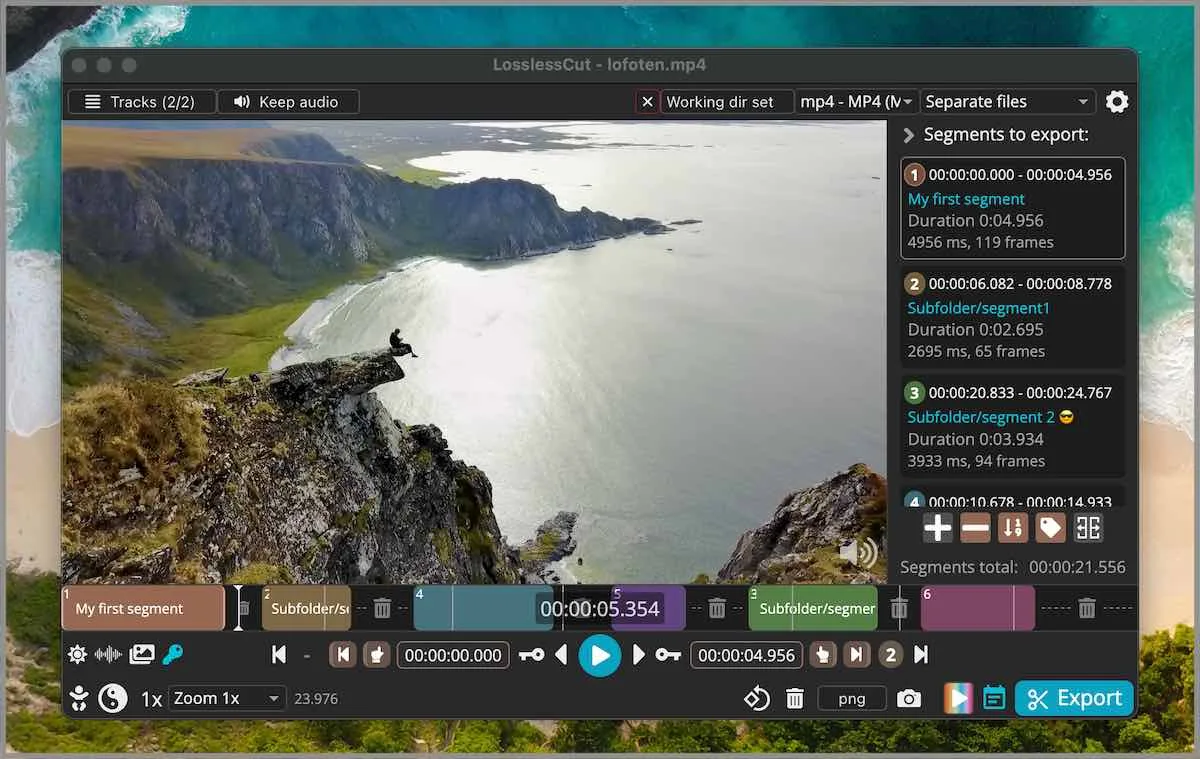
What a re-encode habit looks like
A re-encode editor compresses or filters a file you already have. HandBrake is the open-source transcoder people type. CapCut is a closed consumer editor with account gravity. Shotcut is an NLE with effects. LosslessCut is a different app: GPL-2.0, GitHub, codec copy. Cluster compare: versus HandBrake, versus Shotcut. Move notes: move off re-encoders.
This guide is the switch: keep finished media as files, then cut locally. Related: guides, home, download safely, this computer. Product homepage: losslesscut.app. License: GPL-2.0.
The old habit is compress first, then notice the file is still too long. The new habit is cut first, then decide whether a size pass remains.
There is no project importer
The LosslessCut README does not document an import from CapCut, HandBrake, Shotcut, or a phone editor. There is no converter to invent. Migration copy is: export the media. Copy it to the PC. Open the file. Mark segments. Export a codec-copy cut.
Do not paste a CapCut URL into the cutter. Do not expect cloud jobs to sync. The GitHub build does not describe an account. Phone screen recordings are a sibling case. Copy the video to the PC. There is no phone package in the README Download section.
Cut first, encode later
The switch rule is one sentence. Cut first with codec copy. Encode later only if you need a smaller file or a different codec. A keyframe cut can leave extra frames at the in-point. That is expected. Smart cut is experimental: smart cut. Keyframe detail: keyframe cuts. Merge two camera files: merge segments.
Crop honesty belongs here. README Features lists lossless crop and aspect ratio modification. The FAQ still groups crop, resize, and stretch with lossy re-encode and points at issue 372. Lossless crop when the bitstream copies. Resize still encodes. Crop URL: video cropper. Trim: trim video. MP4: mp4 trimmer. Cutter: video cutter.
CapCut and phone editors
CapCut is closed. Account gravity is the product. A lossless cutter will not log into that account. Export the take you still want. Copy it to the PC. Open the file. Mark in and out. Export. That is the whole migrate for a phone editor.
If the CapCut export is already a compressed file, a lossless cut still copies that compressed bitstream. You do not get the camera original back. Keep camera originals on the PC when you still have them. Cut those, not the second encode.
HandBrake as a later pass
People who always open HandBrake first are compressing minutes they will throw away. Cut the camera file with codec copy. Then open HandBrake on the short result only if a device still needs a smaller bitrate or a new codec. That is the same split as versus HandBrake.
People who already type FFmpeg -c copy can keep those one-liners. LosslessCut wraps that idea in a GUI. There is no need to uninstall FFmpeg. There is no need to install FFmpeg separately for the desktop build; it bundles FFmpeg.
One official GitHub install
Pick the OS in front of you. Windows: LosslessCut-win-x64.7z from GitHub Releases, extract with 7-Zip. Walk: Windows extract. macOS: matching dmg, skip PKG. Walk: macOS. Linux: LosslessCut-linux-x86_64.AppImage or the x64 tar. Walk: Linux. Snap, Microsoft Store, and Mac App Store are supporting. GitHub versus store: 7z or store. GitHub stays free. Store listings lag. Notes skip inventing a store price. Skip Softonic wrappers. Safety: is it safe.
| You have | Do this |
|---|---|
| HandBrake presets that always run first | Cut in LosslessCut, then open HandBrake only if the file still has to shrink. |
| A CapCut project on a phone | Export the media. Copy it to the PC. Open the file. |
| An FFmpeg one-liner you already like | Keep it. The GUI is in and out points and preview. |
| An unsigned helper on Desktop | Quit it. Install from GitHub once. |
| Store build plus GitHub 7z | Pick one channel. GitHub is current and free. |
After the first lossless export
Play the export. Check the in-point. Extra frames are the keyframe trade. Keep the original until the cut looks right. Then stop sending that file through CapCut for another encode. Settings live in %APPDATA%\LosslessCut, ~/Library/Application Support/LosslessCut, or ~/.config/LosslessCut. .llc files sit next to the media unless you turn them off.
The app is not Premiere. FAQ and issue 976 say segments on a timeline, export those portions. CLI and HTTP API exist and stay basic. Issues: lossless-cut issues. Repo: GitHub. Releases: releases.
Extra copies and wrappers
A Store install plus a 7z folder plus a Snap on a dual-boot disk is how three binaries fight. Pick one channel per OS. GitHub is the mapped channel. Nightly builds on the author site are not mapped. *.blockmap and latest-*.yml are noise. APPX and PKG do not work as manual downloads. Editorial: editorial policy. About: about. Contact: contact.
Avidemux is a closer cousin and still often re-encodes for filters. Keep Avidemux if that is already the linear tool you trust. This switch is about stopping a compress-first habit, not about deleting every other GPL tool.
Switch steps:
- Export media you still need from CapCut, a phone editor, or HandBrake.
- Install from GitHub: Windows 7z, macOS dmg, or Linux AppImage or tar.
- Open the file, mark in and out, export codec copy.
- Encode later only if the short file still has to shrink.
Frequently asked questions
Can I import a CapCut project?
No documented importer. Export the media, copy it to the PC, and open the file. Related: move off re-encoders.
Should I keep HandBrake after I switch?
Yes, for a compress you still need. Cut first, then encode the short file. Compare: versus HandBrake.
Does a cut re-encode the file?
Default export is codec copy. Smart cut is experimental and re-encodes a small part. Guide: smart cut.
Where do I install after I leave CapCut?
GitHub 7z, dmg, or AppImage. Skip wrappers. Related: download safely.
Can it replace Premiere?
No. FAQ and issue 976 say it is not an NLE. Shotcut is closer: versus Shotcut.