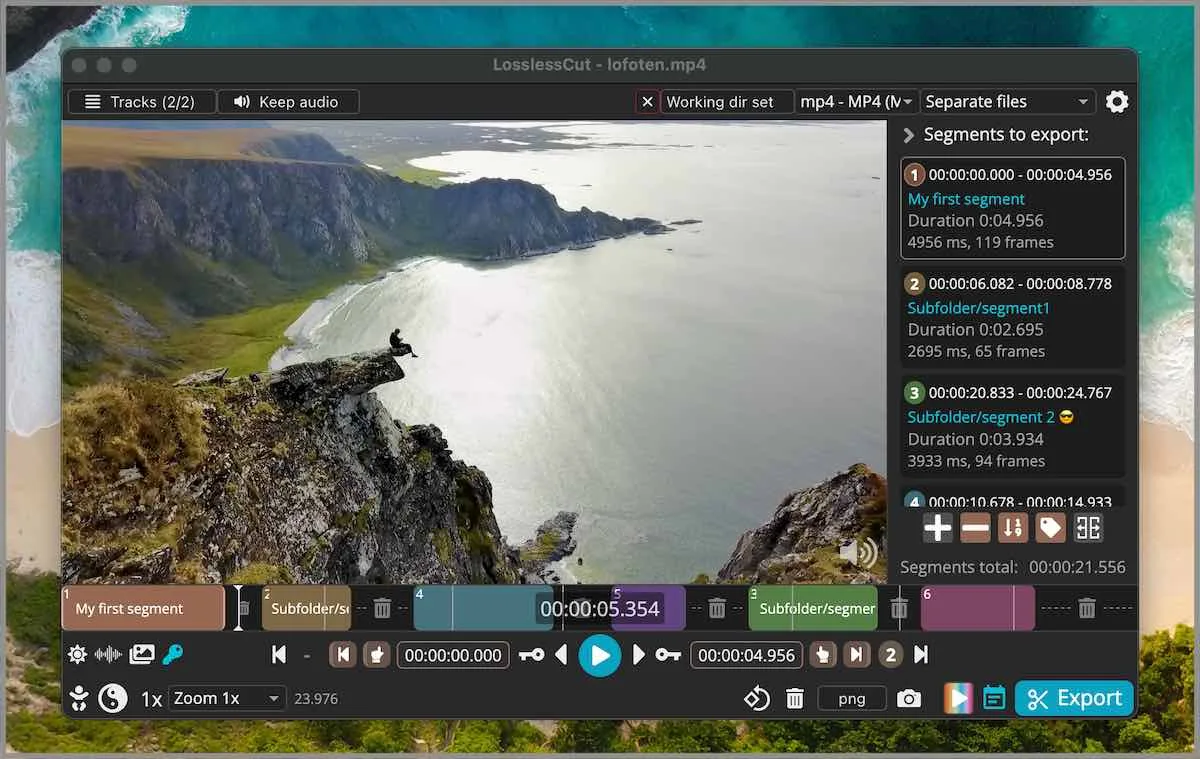
LosslessCut is an Electron app with bundled FFmpeg. Old operating systems drop when Electron drops them. These notes assume current Windows 10 or 11 x64, current macOS on Intel or Apple Silicon, or current 64-bit Linux. GitHub assets are large. A byte size is not typed here. Take files from the releases list. Confirm the repo at GitHub notes. If a search page wraps the 7z, stop at download safely.
Windows 10 or 11 x64
The default GitHub file is LosslessCut-win-x64.7z. There is no Windows installer. Download the 7z, extract it with 7-Zip, and run LosslessCut.exe. Windows 7, 8, and 8.1 are no longer supported. There is no official winget id. winstall listings for mifi.LosslessCut and Mifi.LosslessCut returned app not found on 2026-09-02. A winget-pkgs request from 2022 stayed unmerged. The author FAQ says WinGet is not maintained by him. Chocolatey had no community package on that date.
The APPX on the tag is Store packaging. The README says APPX does not work for a manual download. Names that include DO-NOT-DOWNLOAD are noise. Blockmap and latest yml files are updater noise. Microsoft Store listing 9P30LSR4705L is a supporting convenience path and lags GitHub. GitHub stays free. Full extract steps sit on the Windows extract guide.
Windows ARM is not given a default 7z in these notes. Some tags mention a missing arm64 Windows ffmpeg.exe. Read the asset list on the current tag rather than inventing a filename. Nightly builds exist on a separate author URL and are not the path mapped here.
macOS on Apple Silicon or Intel
Apple Silicon takes LosslessCut-mac-arm64.dmg. Intel takes LosslessCut-mac-x64.dmg. Mount the dmg and drag the app to Applications. The PKG on the tag does not work. Names that include DO-NOT-DOWNLOAD.pkg are noise. An unofficial Homebrew cask exists; the author FAQ says Homebrew is not maintained or vetted by him. These notes print no brew command. The README Download section does not name brew.
Mac App Store listing id1505323402 is supporting. Store builds lag GitHub. The store path is sandboxed, prompts for an output directory, and does not handle VOB. GitHub remains the file these notes map. Walkthrough: macOS from a dmg.
Current 64-bit Linux
Snap is supporting only. The README carries the badge. Primary Linux file is the GitHub AppImage or tar.
That line was checked against snapcraft.io/losslesscut and the README on 2026-09-02. GitHub also ships LosslessCut-linux-x86_64.AppImage, LosslessCut-linux-x64.tar.bz2, and arm64 / armv7l tarballs. 32-bit Linux is no longer supported. Flathub is unofficial; the README says that build is not maintained by the author, so it is not mapped. Details: Linux install.
Disk, extractors, and bundled FFmpeg
Plan disk room for the archive plus the extracted tree. The Windows 7z needs 7-Zip. macOS needs DiskImage mounter, which the OS already has. Linux needs execute permission on the AppImage or tar unpack. FFmpeg ships inside the app. A separate FFmpeg install is not required. A .NET runtime is not required. Electron supplies the desktop shell.
GitHub files are always free. Store listings exist as a paid convenience path the author describes. These notes do not invent a dollar amount. Donations sit on PayPal and on mifi.no/thanks. The README also points at FFmpeg donations.
Settings folders on each OS
GitHub builds do not ask for an account. App Stores may use the store account. Files you cut stay local. Settings land in:
- Windows:
%APPDATA%\LosslessCut - macOS:
~/Library/Application Support/LosslessCut - Linux:
$XDG_CONFIG_HOME/LosslessCutor~/.config/LosslessCut
Optional portable Windows: place an empty config.json next to LosslessCut.exe. Project files with a .llc suffix can save segments next to the media. That can be turned off in settings. Uninstall on Windows means delete the extracted folder and, if you want a clean profile, the appData folder. On macOS, drag the app out of Applications and remove the support folder if you want a clean profile. On Linux, delete the AppImage or the unpacked tree, and remove the config folder if you want a clean profile. Snap removal is a Snap action only if you chose that supporting path.
Store and Snap as supporting paths
Microsoft Store, Mac App Store, and Snap exist. They are not the primary install these notes map. Store builds lag GitHub. Snap is the Linux store the author publishes. Choose a store when that store login is the point. Choose GitHub when you want the current tag and a free executable. Channel comparison: GitHub files versus store apps. Index of every how-to: guides.
| OS | Primary GitHub file | Supporting path |
|---|---|---|
| Windows x64 | LosslessCut-win-x64.7z, extract with 7-Zip, run LosslessCut.exe | Microsoft Store 9P30LSR4705L |
| macOS Apple Silicon | LosslessCut-mac-arm64.dmg, mount, drag to Applications | Mac App Store id1505323402 |
| macOS Intel | LosslessCut-mac-x64.dmg, same mount and drag | Mac App Store id1505323402 |
| Linux x64 | LosslessCut-linux-x86_64.AppImage or LosslessCut-linux-x64.tar.bz2 | Snap id losslesscut |
| Linux arm64 | LosslessCut-linux-arm64.tar.bz2 | Snap if that architecture is offered in the store |
| Linux armv7l | LosslessCut-linux-armv7l.tar.bz2 | Not mapped as a store default |
What this machine should not use
Skip APPX, PKG, blockmap, and latest yml. Skip wrappers on download blogs. Skip Flathub. Skip inventing a winget id. Skip a brew command. Skip treating Snap as the Linux default. Skip nightly unless you are chasing a missing Windows ARM ffmpeg on a tag that still lacks it, and even then know that nightly is outside this map. Skip claiming the app is Premiere. It is a segment cutter with a timeline, not an NLE.
Default cuts are keyframe-aligned codec copy. Smart cut is experimental. Merge needs matching codec parameters. Crop can be lossless when the bitstream copies; resize and stretch still re-encode. See crop notes and keyframe cuts.
After the first launch
Open a local file. Mark in and out points. Export the portions you want. Output stays on disk. The CLI and HTTP API exist and are basic; they are not a batch farm. Licence is GNU GPL-2.0. Official homepage is losslesscut.app. These notes describe how to fetch the GitHub build and how it differs from compressors and NLEs. Move off re-encoders at the migrate page if the current habit is encode then cut.
Requirements will keep moving as Electron moves. Re-read this map on the next review date rather than pinning a version. The stamp carries the current release. Publisher context: about. How facts are checked: editorial policy.