Mount the dmg and drag
LosslessCut is a cross-platform FFmpeg GUI. On a Mac the mapped path is a GitHub dmg. Take LosslessCut-mac-arm64.dmg on Apple Silicon or LosslessCut-mac-x64.dmg on Intel. Mount the image. Drag the app to Applications. Related notes: this computer, download safely, releases, and guides.
Product homepage remains losslesscut.app. Files still come from GitHub. License is GPL-2.0. Windows extract and Linux Snap are separate walks: Windows, Linux.
Apple Silicon or Intel
Match the CPU. Apple Silicon takes the arm64 dmg. Intel takes the x64 dmg. Mixing those two is how a launch fails. Current tags dropped older macOS releases when Electron dropped them. These notes assume a current macOS. The app bundles FFmpeg. There is no separate FFmpeg install.
Disk space needs room for a large dmg. Exact bytes come from GitHub at build. Never pin a size in a sentence.
Why the PKG fails
The release list also shows LosslessCut-mac-universal.pkg and names that include DO-NOT-DOWNLOAD. README says PKG does not work. Skip it. Skip *.blockmap and latest-*.yml while you are there. Those are updater noise.
These notes print no Homebrew command. An unofficial cask exists. Author FAQ says Homebrew is not maintained or vetted by him. README Download section does not name brew. The GitHub dmg is the path these notes map.
Store listing lag
Mac App Store listing id 1505323402 is an official store path the README badges. Store builds lag GitHub. The sandbox store build prompts for an output directory and skips VOB. GitHub downloads stay free. Notes skip inventing a dollar amount. Pick one channel so two copies do not fight. Compare channels: 7z or store. Safety: is it safe. Repo: GitHub.
| File | When to take it |
|---|---|
LosslessCut-mac-arm64.dmg | Default Apple Silicon install. Drag to Applications. |
LosslessCut-mac-x64.dmg | Intel Mac. Same drag. |
PKG / *-DO-NOT-DOWNLOAD.pkg | Skip. README says PKG does not work. |
Mac App Store id 1505323402 | Lagging sandbox store build. |
| License | GPL-2.0 on master |
| Account | None on the GitHub build |
First run on a Mac
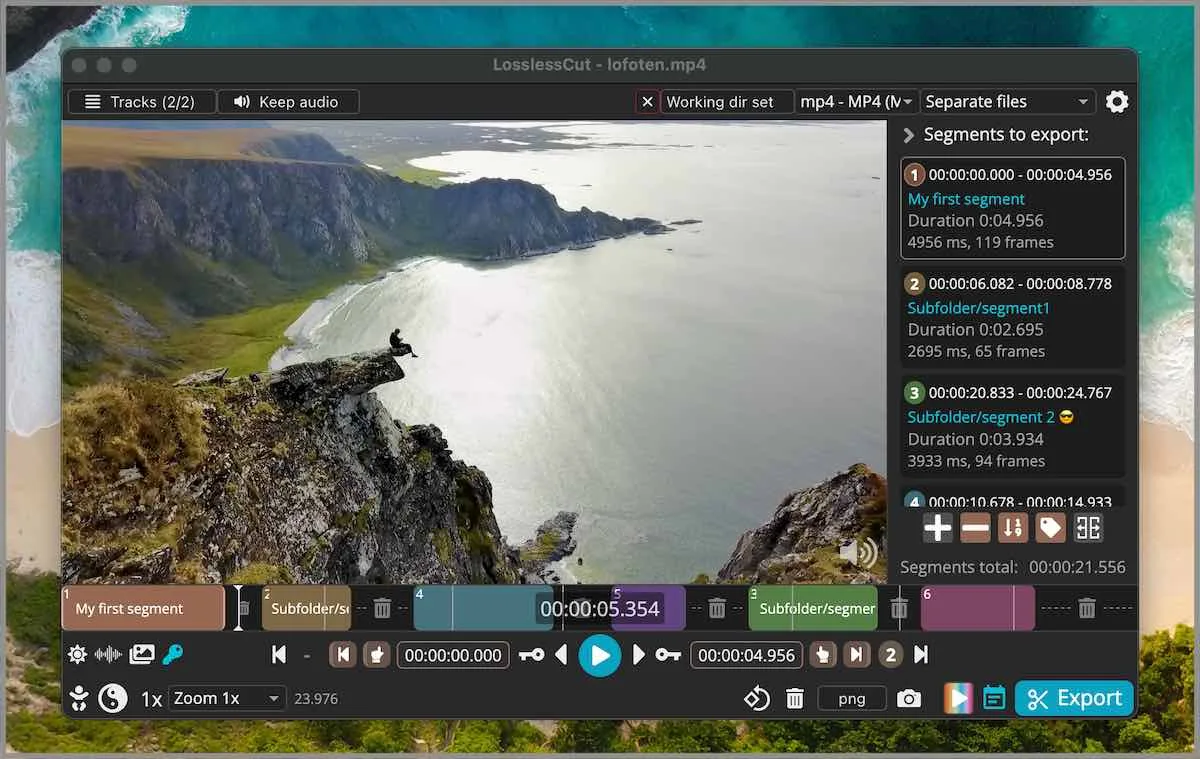
Launch from Applications. Open a file you can waste. Mark in and out. Export. Default cut is keyframe-aligned codec copy. Extra frames can remain at the in-point. Smart cut is experimental. Read smart cut and keyframe cuts before you use it on a keep file. Merge: merge segments. Crop honesty: README lists lossless crop; FAQ still groups crop, resize, and stretch with lossy work and points at issue 372. Crop URL: video cropper.
The app is not an NLE. FAQ and issue 976 say segments on a timeline, export those portions. HandBrake remains a later compress: versus HandBrake. Shotcut remains an effects timeline: versus Shotcut.
Settings on a Mac
Settings live in ~/Library/Application Support/LosslessCut. .llc project files save segments next to the media unless you turn that off. Exports are ordinary files in the folder you chose. CLI and HTTP API exist and stay basic. Issues: lossless-cut issues. Docs: docs/index.md.
MP4, MKV, and audio at the cut
A codec-copy export keeps the bitstream. If audio skips at the cut, that is a known codec-copy seam. Smart cut tries to hide a seam by re-encoding a small part and is still experimental. Read smart cut before you treat a skip as a dmg problem. Keyframe trade: keyframe cuts.
Keep the original camera file until the export plays. Store sandbox builds prompt for an output directory. GitHub builds write where you point them. VOB is skipped on the sandbox store build. If you need that container, stay on the GitHub dmg.
Batch export is not a farm. CLI and HTTP API exist in the repo docs and stay basic. FFmpeg one-liners remain valid. The GUI is preview and in/out points. Compress later in HandBrake only if the file still has to shrink: versus HandBrake. Effects timeline: versus Shotcut. Phone editors: move off re-encoders.
Gatekeeper, copies, and first hour
macOS may warn on an app fetched outside the Mac App Store. Handle that with the OS dialogs you already use. Notes skip inventing a codesign claim. Fetch stays on GitHub Releases or the store listing the README already names. A second copy from a random dmg blog is a wrapper. Safety: is it safe. Download walk: download safely.
First hour is a throwaway cut, then a keep file. .llc files appear next to the media unless you turn them off. Settings stay in ~/Library/Application Support/LosslessCut. Trash the app to uninstall. Leave the original camera file on disk until the new export plays in a player you already have. Home: video trimmer home. Guides: guides. Trim keep URL: trim video. MP4 keep URL: mp4 trimmer. Cutter keep URL: video cutter.
Updates and uninstall
Take a new dmg from GitHub Releases and replace the app in Applications. Store builds update inside the store and still lag. Uninstall by moving the app to Trash. Delete the application support folder only if you want a clean slate. Home: video trimmer home. Migrate off a re-encode habit: move off re-encoders. Switch notes: switch from re-encode editors.
Install steps:
- Open GitHub Releases and take the arm64 or x64 dmg that matches the Mac.
- Mount the dmg and drag the app to Applications. Skip the PKG.
- Launch from Applications.
- Open a throwaway file, mark in and out, and export a codec-copy cut.
Frequently asked questions
How do I install it on a Mac?
Take the arm64 dmg on Apple Silicon or the x64 dmg on Intel from GitHub Releases, mount it, and drag to Applications. Related: this computer.
Can I run the PKG from the release list?
No. README says PKG does not work. Names that include DO-NOT-DOWNLOAD are the same warning. Stay on the dmg.
Is there a Homebrew command?
These notes print none. Author FAQ says Homebrew is not maintained or vetted by him. The GitHub dmg is the path.
Why is the Mac App Store build older?
Store listings lag GitHub. Listing id 1505323402 is a sandbox store build. GitHub stays free. Notes skip inventing a store price.
Do I need FFmpeg on the Mac?
No. The desktop build bundles FFmpeg. Related: releases.