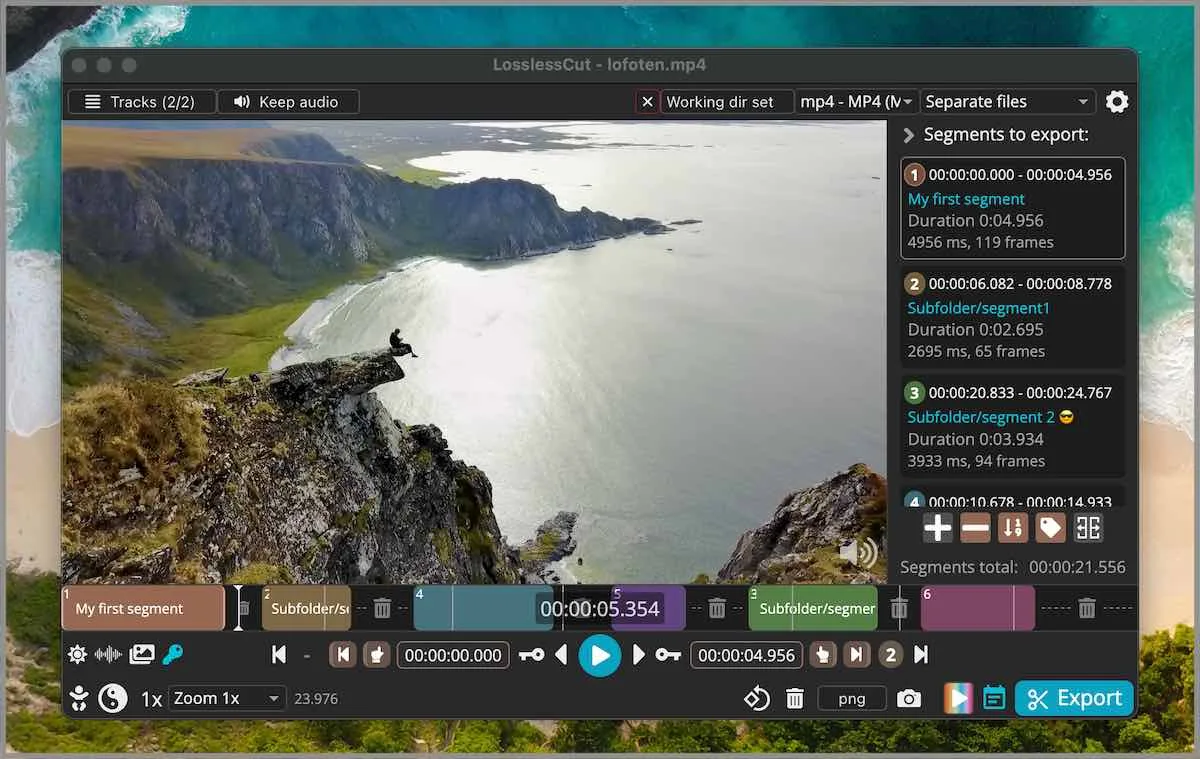
Segments on a timeline, then export
LosslessCut places segments on a timeline and exports those portions. FAQ and issue 976 say that is not an NLE. It is not Premiere. It is not Shotcut. Merge here means join the portions you marked, often with codec copy when the files match. Related: guides, home, keyframe cuts, smart cut. Product homepage: losslesscut.app. License: GPL-2.0.
Two camera files from the same setup are the happy path. Two random internet clips with different codecs are not. Those need an encode, which is HandBrake or Shotcut territory: versus HandBrake, versus Shotcut.
Concat needs identical codec params
A lossless concat copies packets from file A, then packets from file B, into one container. FFmpeg can do that only when the bitstreams already agree. Identical codec params means the same video codec, the same resolution, the same frame rate or timebase, the same pixel format, and audio that also matches. If one file is 1080p H.264 and the other is 4K HEVC, a codec-copy join fails. Notes skip inventing a hidden transcoder that always works.
People who already type FFmpeg concat with -c copy know this rule. The GUI is preview and in/out points of the same idea. If the export errors, the files probably do not match. Keep the originals. Try a throwaway pair first.
Identical codec params also cover audio sample rate, channel layout, and the timebase the container stores. Two H.264 files can still fail a lossless concat if one is 29.97 and the other is 30, or if one is 48 kHz stereo and the other is 44.1 kHz. A lossless merge is not a mixer. It is a packet join. When params disagree, stop treating concat as lossless. Cut each file alone, then encode the pair if you still need one output.
Matching files versus mixed files
Matching means same camera, same recording mode, same codec settings. Two takes from one phone in the same session usually match. A phone export plus a camera original usually does not. A CapCut export plus a camera original is mixed, and there is no project importer.
Mixed files need an encode. That encode is HandBrake or Shotcut, not a lossless merge. Cut each file losslessly first so discarded minutes never hit the encoder, then encode the short pair if you still need one file.
Avidemux is a closer cousin for linear work and still often re-encodes for filters.
Project files and settings
.llc project files save segments next to the media. You can turn that off in settings. Settings live in %APPDATA%\LosslessCut on Windows, ~/Library/Application Support/LosslessCut on macOS, and ~/.config/LosslessCut on Linux. Optional portable Windows: empty config.json next to LosslessCut.exe (issue 645). This computer: this computer.
Keep URLs: trim video, mp4 trimmer, video cutter, video cropper. Crop honesty: README lists lossless crop; FAQ still groups crop, resize, and stretch with lossy work and points at issue 372.
| Pair | Likely join | Next step |
|---|---|---|
| Two clips from one camera | Codec copy if params match | Place segments, export |
| Phone export plus camera original | Mixed params | Encode, or recut each then encode |
| CapCut export plus camera original | Mixed, and no project importer | Export media, cut locally |
| Two already-encoded HandBrake files | Maybe match | Test a throwaway |
| Random web clips | Mixed | Shotcut or HandBrake, not codec copy |
Keyframes still apply
A merged export still follows keyframe rules on each cut. Extra frames can remain at an in-point. Smart cut is experimental if you need a tighter in-point: smart cut. Audio skip at a seam is a known codec-copy issue. Play the join before you delete sources.
The app is not a batch farm. CLI and HTTP API exist and stay basic. Docs: docs/index.md. Issues: lossless-cut issues.
Install from GitHub, then merge
Windows: LosslessCut-win-x64.7z, extract with 7-Zip. Windows. macOS: matching dmg, skip PKG. macOS. Linux: GitHub AppImage or tar. Linux. Snap is supporting only. Safe fetch: download safely. 7z versus store: 7z or store. GitHub stays free. Store listings lag. Notes skip inventing a dollar amount.
Skip Softonic wrappers. Safety: is it safe. Repo: GitHub. Releases: releases.
After the joined export
Play the file end to end. Check each seam. Keep the original camera files until that join looks right. Then stop sending the pair through CapCut for another encode: move off re-encoders, switch from re-encode editors.
Donations for the project sit on the author pages the README names. Editorial: editorial policy. About: about. Contact: contact.
If the join plays and params matched, you copied bitstreams. If the join fails, stop retrying the same pair as a lossless concat. Encode, or recut each file alone.
What merge is not
Merge is not a multi-track mix. Merge is not titles. Merge is not a HandBrake preset. Merge is not a CapCut template. Those jobs stay on the tools that already do them. This howto is two matching camera portions, marked, exported, with identical codec params. Keep both camera originals until that join plays.
Merge steps:
- Install from GitHub: Windows 7z, macOS dmg, or Linux AppImage or tar.
- Open matching camera files whose codec params agree.
- Place segments. Save a
.llcif you want the marks. - Export a codec-copy join and play it before deleting originals.
Keep the original camera files until the joined export plays end to end.
Frequently asked questions
Can it merge two camera files?
Yes when codec params match enough for a codec-copy join. Place segments, export. Related: keyframe cuts.
Is this Premiere?
No. FAQ and issue 976 say it is not an NLE. Shotcut is the effects timeline: versus Shotcut.
What are .llc files?
Project files that save segments next to the media. You can turn that off in settings. Paths: this computer.
Does a merge re-encode?
Matching codec-copy joins copy the bitstream. Mismatched files need an encode. Smart cut is experimental: smart cut.