Take the GitHub AppImage
LosslessCut is a cross-platform FFmpeg GUI. On Linux the mapped file is LosslessCut-linux-x86_64.AppImage from GitHub Releases. The x64 archive is LosslessCut-linux-x64.tar.bz2. Mark the AppImage executable, then run it, or unpack the tar and run the binary inside. Related: this computer, download safely, releases, guides. Product homepage: losslesscut.app. License: GPL-2.0.
Windows 7z and macOS dmg are separate walks: Windows, macOS. There is no official winget id. These notes print no brew command.
LosslessCut-linux-x86_64.AppImageAppImage and tar from GitHub
GitHub also ships LosslessCut-linux-arm64.tar.bz2 and LosslessCut-linux-armv7l.tar.bz2 for Raspberry Pi class boards. Read the current asset list before you take an x64 AppImage onto an ARM board. Skip *.blockmap and latest-*.yml on the tag. Nightly builds on the author site are not the path these notes map.
A tar extract is a folder of files, same idea as the Windows 7z. Pick one channel so Snap and a loose AppImage do not both run.
Supporting Snap path
Snap id losslesscut is supporting only. The README badges snapcraft.io/losslesscut, checked 2026-09-02. It is not the Linux file of record. Primary file stays the GitHub AppImage or tar. Flathub is unofficial. README says that listing is not maintained by the author, so it is not mapped.
What Linux needs
Current 64-bit Linux is the mapped path. 32-bit Linux is dropped. The app bundles FFmpeg. There is no separate FFmpeg install. Disk space needs room for a large AppImage. Exact bytes come from GitHub at build. Never pin a size. Electron supplies the desktop shell.
| File or channel | Role | Notes |
|---|---|---|
LosslessCut-linux-x86_64.AppImage | Primary GitHub x64 file | Mark executable, run |
LosslessCut-linux-x64.tar.bz2 | GitHub x64 archive | Unpack, run the binary |
| arm64 or armv7l tar.bz2 | Matching board | Read the current asset list |
Snap id losslesscut | Supporting store path | README badge. Not the mapped file |
| Flathub | Unofficial | Skip |
| License | GPL-2.0 on master | Link LICENSE |
Chooser: releases. Repo: GitHub. Safety: is it safe. Channel: 7z or store.
First run on Linux
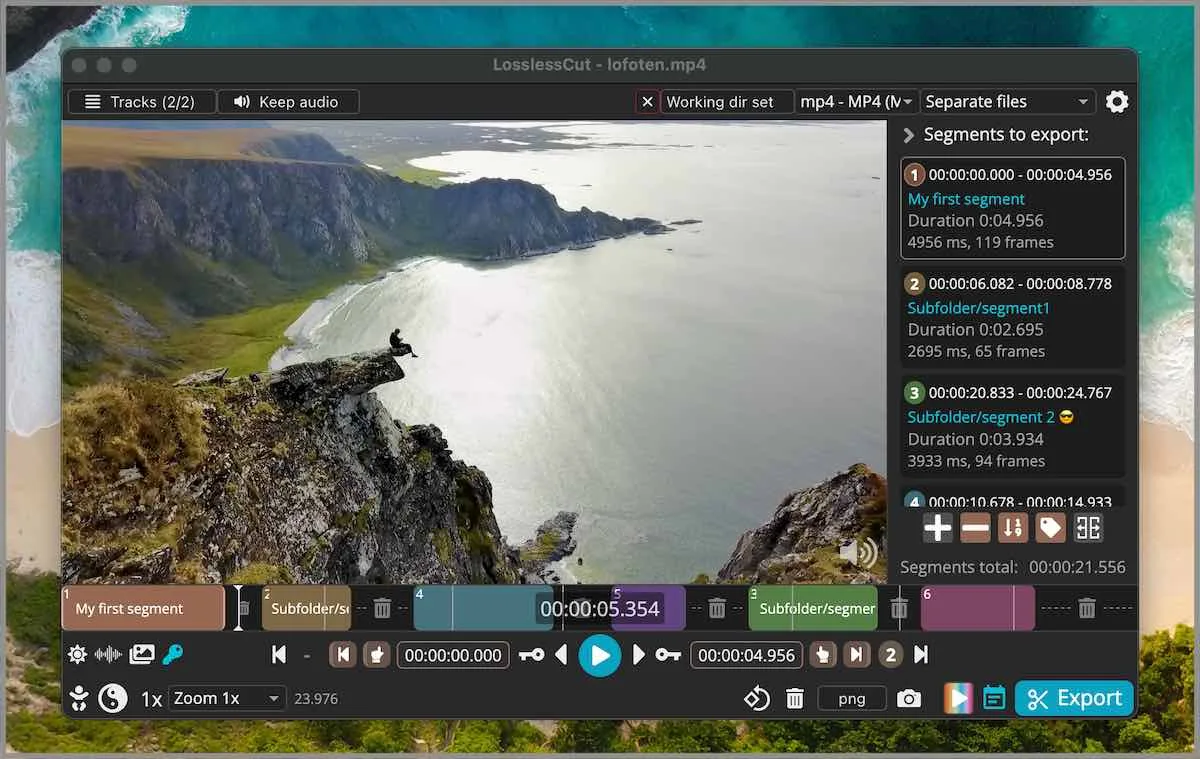
Launch the AppImage or the unpacked tar. Open a file you can waste. Mark in and out. Export. Default cut is keyframe-aligned codec copy. Extra frames can remain at the in-point. Smart cut is experimental. Read smart cut and keyframe cuts before you use it on a keep file. Merge: merge segments. Crop honesty sits on video cropper: lossless crop when the bitstream copies; resize still encodes. FAQ still groups crop, resize, and stretch with lossy work and points at issue 372.
The app is not an NLE. FAQ and issue 976 say segments on a timeline, export those portions. HandBrake remains a later compress: versus HandBrake. Shotcut remains an effects timeline: versus Shotcut. FFmpeg CLI already does the same -c copy idea with no GUI.
Settings on Linux
Settings live in $XDG_CONFIG_HOME/LosslessCut or ~/.config/LosslessCut. .llc project files save segments next to the media unless you turn that off. Exports are ordinary files. CLI and HTTP API exist and stay basic. Issues: lossless-cut issues. Docs: docs/index.md. Security: repo security. GitHub builds do not ask for an account.
Updates and uninstall
GitHub AppImage and tar are replaced by downloading a new file from Releases. Delete the old AppImage or unpacked tree. Delete ~/.config/LosslessCut only if you want a clean profile. If you chose Snap, that copy updates and removes through Snap. Mixing both is how two copies fight.
Home: video trimmer home. Migrate: move off re-encoders. Switch: switch from re-encode editors. Trim and mp4 keep URLs: trim video, mp4 trimmer. Cutter: video cutter.
MP4, MKV, and audio at the cut
A codec-copy export keeps the bitstream. If audio skips at the cut, that is a known codec-copy seam. Smart cut tries to hide a seam by re-encoding a small part and is still experimental. Keep the original camera file until the export plays. Then decide whether HandBrake still has a job.
Install steps in short:
- Take
LosslessCut-linux-x86_64.AppImageor the matching tar from the current GitHub tag. - Mark the AppImage executable and launch it.
- Open a throwaway file, mark in and out, and export a codec-copy cut.
- Keep one channel so Snap and a loose AppImage do not both run.
Current tag stays on the stamp. Never pin a number in this HTML.
Settings live in $XDG_CONFIG_HOME/LosslessCut or ~/.config/LosslessCut. .llc files sit next to the media unless you turn them off. First hour is a throwaway cut you can play. GitHub stays free. Store listings lag. Notes skip inventing a dollar amount. Donations for the project sit on the author pages the README names.
Windows extract and macOS dmg walks stay separate. Home keeps the short path. Product bugs go to lossless-cut issues. Factual errors in these notes go through contact with four facts. Current release is injected at build.
Frequently asked questions
How do I install it on Linux?
Take LosslessCut-linux-x86_64.AppImage or the x64 tar from GitHub Releases. Snap is official. Related: this computer.
Is the Snap build official?
The README badges Snap. snapcraft.io/losslesscut prints the same id. The README badges it as official. GitHub AppImage sits on the same tag. Flathub is unofficial.
Do I need FFmpeg on Linux?
No for the desktop build. It bundles FFmpeg. Related: releases.
Does it run on 32-bit Linux?
Current tags dropped 32-bit Linux. Use current 64-bit, or the arm64 / armv7l tarball that matches the board.
Do I need an account?
No on the GitHub build. Snap uses a Snap session if you install that way. Cuts stay local.