Extract the 7z with 7-Zip
LosslessCut is a Windows, macOS, and Linux FFmpeg GUI. On Windows the README and installation.md say there is no installer: download a compressed file, extract, run the exe. The default current-tag file is LosslessCut-win-x64.7z. Unpack it with 7-Zip. Run LosslessCut.exe. Related notes: this computer, download safely, releases, and guides.
There is no official WinGet package id. Author FAQ says WinGet is not maintained by him. Notes skip inventing a package line. Microsoft Store listing 9P30LSR4705L exists as a lagging store build. GitHub stays free. Notes skip inventing a dollar amount. Store versus GitHub: 7z or store.
Product homepage remains losslesscut.app. Files still come from GitHub. License is GPL-2.0.
What Windows needs first
Current tags assume Windows 10 or 11 x64. Windows 7, 8, and 8.1 are dropped. The app bundles FFmpeg, so a separate FFmpeg install is not a prerequisite. There is no .NET runtime. 7-Zip is required to extract the 7z. Disk space needs room for a large archive; exact bytes come from GitHub at build.
Windows ARM is not mapped as a default 7z here. Some tags have noted a missing arm64 ffmpeg.exe. If the PC is ARM, read the current GitHub asset list and the tag notes before you guess a filename.
Optional portable Windows: an empty config.json next to LosslessCut.exe, per issue 645. That keeps settings beside the exe. Default settings still land in %APPDATA%\LosslessCut unless you set that portable file up.
Which file to take
| File | When to take it |
|---|---|
LosslessCut-win-x64.7z | Default Windows x64 extract. Run LosslessCut.exe. |
APPX / *-DO-NOT-DOWNLOAD.appx | Skip. Store packaging. Does not work as a manual download. |
*.blockmap, latest-*.yml | Skip. Updater noise. |
Microsoft Store listing 9P30LSR4705L | Lagging store build. GitHub stays current and free. |
| License | GPL-2.0 on master |
| Account | None on the GitHub build |
Open the current tag. Never pin a number from a blog. The stamp injects the GitHub tag at build. Chooser: releases. Repo: GitHub. Safety: is it safe.
Skip Softonic, CNET, and countdown wrappers. Match publisher path mifi/lossless-cut. A helper that wraps the name is a different file.
First run after extract
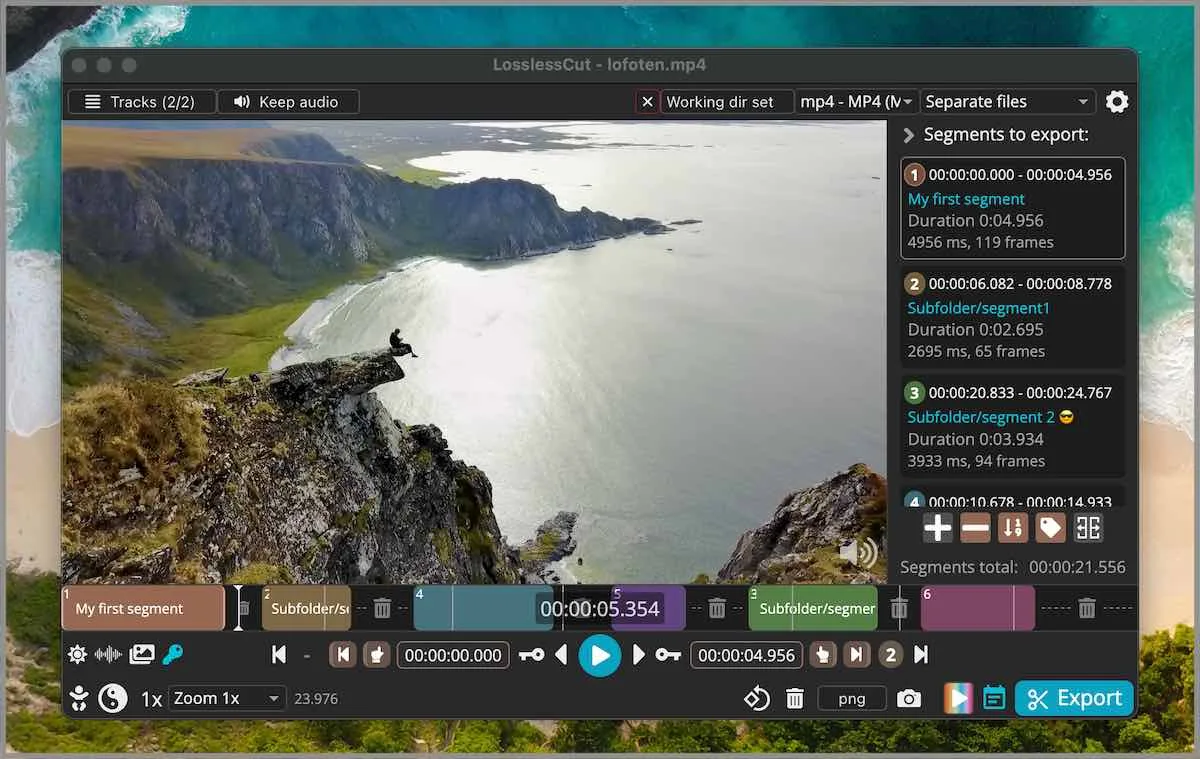
Launch LosslessCut.exe. Open a file you can waste. Mark in and out. Export. Default cut is keyframe-aligned codec copy. Extra frames can remain at the in-point. That is the lossless trade, not a failed extract. Smart cut is experimental and tries to re-encode only a small part. Read smart cut and keyframe cuts before you turn it on for a keep file.
The app is not an NLE. FAQ and issue 976 say segments on a timeline, export those portions. It is not Premiere. Merge two camera files: merge segments. Crop: README lists lossless crop; the FAQ still groups crop, resize, and stretch with lossy re-encode and points at issue 372. Resize is still an encode. Crop URL: video cropper. Trim: trim video. MP4: mp4 trimmer.
If two copies run, quit extras. A Store install plus a 7z folder is two copies. Pick one channel.
Settings and project files
Settings live in %APPDATA%\LosslessCut unless you use the empty config.json portable trick. .llc project files save segments next to the media. You can turn that off in settings. Exports you save are ordinary files in the folder you chose.
CLI and HTTP API exist in the repo docs. They are basic, not a batch farm. Issues go to lossless-cut issues. Docs: docs/index.md. Security: repo security.
Updates and uninstall
Return to GitHub Releases and take a new 7z. Replace the extracted folder. Store builds update inside the store and still lag. Uninstall a 7z extract by closing the exe and deleting that folder. Uninstall a Store build from Apps settings. Exports remain until you delete them.
Home: video trimmer home. Compare if you currently compress first: versus HandBrake. Migrate: move off re-encoders. macOS and Linux are separate walks: macOS, Linux.
MP4, MKV, and audio at the cut
A codec-copy export keeps the bitstream. Container choice after a cut is often mp4 or mkv, depending on what the source already used and what the app will write. Notes skip inventing a hidden transcode. If audio skips at the cut, that is a known codec-copy seam, not a missing 7-Zip step. Smart cut tries to hide a seam by re-encoding a small part and is still experimental. Read smart cut before you treat a skip as an install bug.
Keep the original camera file until the export plays. Then decide whether HandBrake still has a job. Compress is a later pass: versus HandBrake. Effects belong in Shotcut: versus Shotcut. Phone editors belong on the migrate note: move off re-encoders.
Batch export is not a farm. CLI and HTTP API exist in the repo docs and stay basic. People who already type FFmpeg one-liners can keep those. The GUI is for in and out points and preview of the same copy idea.
Common Windows mistakes
People grab the first search result and run a helper from Softonic or CNET. Stay on mifi/lossless-cut and the current release. Skip wrappers.
Taking the APPX because it looks like an installer is the next mistake. README says it does not work for a manual download. Waiting on a WinGet id that does not exist is the third. Encoding the whole camera file in HandBrake or CapCut before a cut is a workflow mistake, not an extract failure: switch from re-encode editors and versus HandBrake.
Install steps:
- Open GitHub Releases for mifi/lossless-cut and take
LosslessCut-win-x64.7z. - Extract with 7-Zip. Skip APPX, blockmap, and yml files.
- Run
LosslessCut.exefrom the extracted folder. - Open a throwaway file, mark in and out, and export a codec-copy cut.
Frequently asked questions
How do I install it on Windows?
Take LosslessCut-win-x64.7z from GitHub Releases, extract with 7-Zip, and run LosslessCut.exe. Related: this computer.
Is there a WinGet package id?
No official id on 2026-09-02. Author FAQ says WinGet is not maintained by him. These notes skip inventing a package line. The GitHub 7z is the path.
Can I run the APPX from the release list?
No. README says APPX does not work for a manual download. Names that include DO-NOT-DOWNLOAD are the same warning. Stay on the 7z.
Do I need FFmpeg installed separately?
No. The desktop build bundles FFmpeg. There is no .NET runtime either. Related: releases.
Do I need an account?
No on the GitHub build. Cuts stay on the PC. Microsoft Store listing 9P30LSR4705L may use a store account and lags GitHub.